| STEPS TO FOLLOW:
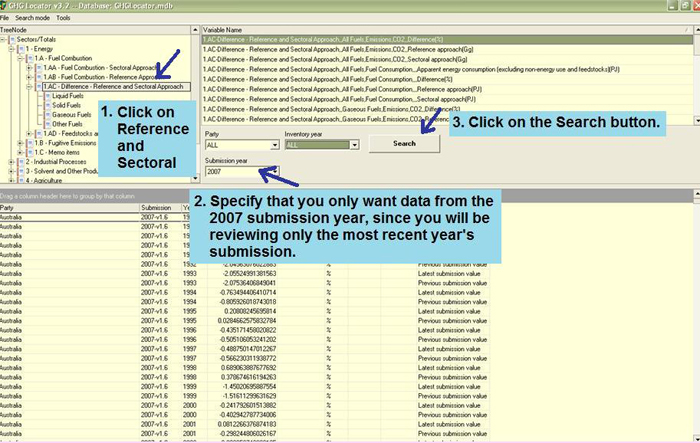
Suggestions: You will notice that the Locator has two search modes: Normal
and Time Series. For this exercise you should select the Normal mode.
You should then click on the Reference Approach Category (1.AC). Next,
you should select the appropriate items, (e.g., Difference - Reference
and Sectoral Approach under the Tree Node). Next in the Variable box,
you should choose the variable you want to check ( e.g., the difference
in percentage of CO2 emissions for all fuels). You should also specify
that you only want data from the 2007 submission year, since you will
be reviewing only the most recent year’s submission. The next step
is to click on the Search button and then wait while the computer locates
the data.
|




